Archive for the ‘Templates’ Category

iPad Sketch Elements AI

Wednesday, December 1st, 2010


Teehan+lax just released the iPad Sketch Elements for Adobe Illustrator to complement the existing iPhone counterpart. The downloadable file contains a number of useful sketch style UI components (such as the keyboard, browser bars, system bars, etc) that can used to speed up an exploration process. Thanks!

Credits: Chris Tanner – teehan+lax

750 Vector Icons

Friday, November 12th, 2010


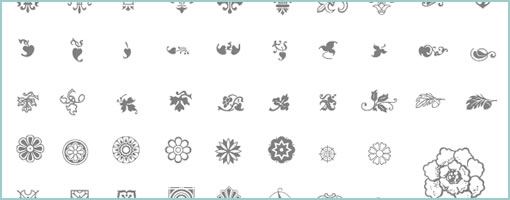
From the same person who brought you the User Interface Design Framework, now comes a set of another 750 Vector Icons. This time around the set costs around $47 and comes in Illustrator, EPS, PDF and PNG flavours. Hopefully useful to some of you UI designers out there. Thanks Vincent!

Credits: Vincent Le Moign

Site Architecture Stencil for OmniGraffle

Tuesday, October 26th, 2010


Austin recently came up with a sitemap or site architecture OmniGraffle stencil that makes room for some extra description. In the stencil, beside each page title there is now a little space for an explanation of what the page is about. He shared the downloadable stencil which can be obtained right from his site. Awesome. Thanks!

In his own words:

I’ve used EightShapes’s brilliant Unify deliverable system for about four years. It’s excellent.

Out of the box, Unify is designed for use with Adobe InDesign. Lately, however, I’ve been site mapping in sweet, luscious OmniGraffle, and I created a Unify-inspired OmniGraffle stencil for making site maps.

But, there’s one problem with lots of site maps.

In your typical site map, you show the page’s title adjacent to the little box for that page. Unfortunately, clients and developers and designers don’t always know what kind of page the page will be. In other words, if you have a page titled, “Orders”, it’s not clear if that’s a dashboard, a list of orders, or even a form form for adding an order.

So I added a line for every page on the site map where you can offer a very brief description of the page.

Credits: Austin Govella

Sqetch – Illustrator Wireframe Toolkit

Wednesday, September 8th, 2010


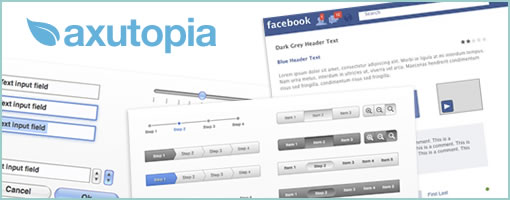
These wireframing toolkits are recently springing up like mushrooms after the rain, but this one looks really stylish. It’s done for Illustrator and sits more on the high end of the fidelity spectrum. It also contains elements and pieces for: the browser, an iPad landscape and upright backdrop, the Smartphone, form and UX elements. Thanks Dirk for sharing!

Credits: Dirk Weber

Dragnet Wireframes Kit for Adobe Fireworks

Friday, September 3rd, 2010


Yet another wireframing kit up for grabs. This time for Adobe Fireworks.

In Jonas’ own words:

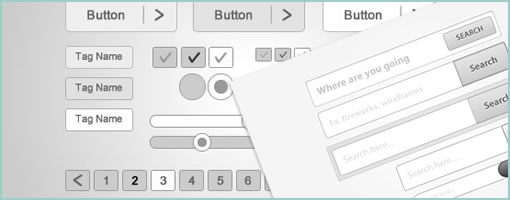
Dragnet website wireframes kit v0.9 is a common library for Adobe Fireworks and contains over 25 objects that are useful for rapid prototyping of websites. It is completly free to download and use. The kit contains common web design elements such as scrollbars, buttons, menus, alerts etc. Most of them supports the 9-slice scaling feature that is build into Fireworks for a better resizing of the objects.

Yes, it´s true that Adobe Fireworks already is packed with such elements that looks really nice. But we developed the kit because we wanted something more rought, something that looked more like sketches, so the clients or our user test participants wouldn´t get distracted by the design when we instead wanted them to focus on the function behind the web page or application. This kit is something that we will continue to develop and if you think we have forgot an element feel free to write a comment below [referring here of course].

Credits: Jonas Skoglund

Free Keynote UX Stencils

Tuesday, August 24th, 2010


In the light of Keynote as a recently popular tool for creating wireframes, here comes another emerging stencil for all to use. As the project name suggests, the template is free, comes with various form elements, modal boxes, and a number of useful header styles. One thing that stands out is the way the stencil is being positioned within github, and the author openly invites others to fork it, tweak it and improve it. Without implying otherwise it would be interesting to see if UX folk will be actually able to push, pull, branch and merge files under git to move the project forward. Or perhaps the technical barrier and the high learning curve behind git commands are just too complicated for the non-developer? Either way, thanks Colin for another cool project.

Grab the files (and collaborate) right here.

In Colin’s own words:

I’m working on some a free wireframing toolkit for creating interactive prototypes with Apple’s Keynote. It’s the best wireframe tool around, and I’ve been using it to build interfaces for web applications.

Credits: Colin Nederkoorn

User Interface Design Framework

Tuesday, July 20th, 2010


An awesome Adobe Illustrator library has just been released for designing user interfaces. The set contains hundreds of vector shapes for GUI form elements, 260 vector based interface icons, and 200 graphic styles. Best of all, it’s available to use for commercial projects. Nice work Vincent!

Credits: Vincent Le Moign

iPad Template for Keynote Prototyping

Tuesday, July 20th, 2010


Amir Khella just described his experience of building an interactive prototyping for an iPad application using Apple’s Keynote. Along with a thorough post, he release a template available for download (requires blog subscription). The post also comes with a video screen cast showing the final result and interactions. Here is an interesting quote around what he has to say on prototyping:

Remember that a prototype doesn’t need to be perfect. It just needs to convey your idea better than your words do. Don’t over-engineer it, and don’t prematurely optimize it. Just put together something that users can see and play with. You will get many more insights than spending hours in focus groups, market research and surveys.

Credits: Amir Khella

Keynote Wireframe Toolkit

Tuesday, June 15th, 2010


Here is a Keynote Wireframe Toolkit. For $12 you get components and support for: form inputs, scrollbars, datepicker, tabs, bread crumbs, menus, carousel, loading/progress bars, sliders, annotations, tables for tabular data, a text style guide, a modal window, the 960 Grid System, and ad units. I must say I like the interaction based annotations dealing with things such as: clicks, taps, swipes and drags. :) As Travis writes in his own words:

Apple’s Keynote for iWork is probably not on your list for wireframe/prototyping tools, but it should be. It’s ridiculously easy to use, creates gorgeous presentations, and features full suite of drawing tools and shapes.

Credits: Travis Isaacs

Touch Gesture Reference Guide

Thursday, May 27th, 2010


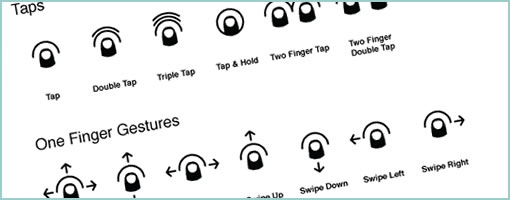
Another great gesture compilation brought to you by Luke Wroblewski and others. The researched document describes how touch gestures are supported on platforms such as: iPhone OS, Windows 7 Phone, Palm webOS, Android, OSX (trackpad), OSX (Magic Mouse), Microsoft Windows 7, Wacom Bamboo, GestureWorks (Flash) and Microsoft Surface. The compiled document also comes summarized as a downloadable PDF as well as more wireframe friendly formats (PDF, EPS, Omnigraffle).

The guide contains: 1) an overview of the core gestures used for most touch commands 2) how to utilize these gestures to support major user actions 3) visual representations of each gesture to use in design documentation and deliverables 4) an outline of how popular software platforms support core touch gestures.

Credits: Craig Villamor, Dan Willis, Luke Wroblewski, and Jennifer Rhim