Archive for the ‘Templates’ Category

User Interface Design Framework

Tuesday, July 20th, 2010


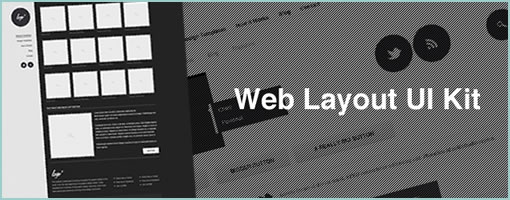
An awesome Adobe Illustrator library has just been released for designing user interfaces. The set contains hundreds of vector shapes for GUI form elements, 260 vector based interface icons, and 200 graphic styles. Best of all, it’s available to use for commercial projects. Nice work Vincent!

Credits: Vincent Le Moign

iPad Template for Keynote Prototyping

Tuesday, July 20th, 2010


Amir Khella just described his experience of building an interactive prototyping for an iPad application using Apple’s Keynote. Along with a thorough post, he release a template available for download (requires blog subscription). The post also comes with a video screen cast showing the final result and interactions. Here is an interesting quote around what he has to say on prototyping:

Remember that a prototype doesn’t need to be perfect. It just needs to convey your idea better than your words do. Don’t over-engineer it, and don’t prematurely optimize it. Just put together something that users can see and play with. You will get many more insights than spending hours in focus groups, market research and surveys.

Credits: Amir Khella

Keynote Wireframe Toolkit

Tuesday, June 15th, 2010


Here is a Keynote Wireframe Toolkit. For $12 you get components and support for: form inputs, scrollbars, datepicker, tabs, bread crumbs, menus, carousel, loading/progress bars, sliders, annotations, tables for tabular data, a text style guide, a modal window, the 960 Grid System, and ad units. I must say I like the interaction based annotations dealing with things such as: clicks, taps, swipes and drags. :) As Travis writes in his own words:

Apple’s Keynote for iWork is probably not on your list for wireframe/prototyping tools, but it should be. It’s ridiculously easy to use, creates gorgeous presentations, and features full suite of drawing tools and shapes.

Credits: Travis Isaacs

Touch Gesture Reference Guide

Thursday, May 27th, 2010


Another great gesture compilation brought to you by Luke Wroblewski and others. The researched document describes how touch gestures are supported on platforms such as: iPhone OS, Windows 7 Phone, Palm webOS, Android, OSX (trackpad), OSX (Magic Mouse), Microsoft Windows 7, Wacom Bamboo, GestureWorks (Flash) and Microsoft Surface. The compiled document also comes summarized as a downloadable PDF as well as more wireframe friendly formats (PDF, EPS, Omnigraffle).

The guide contains: 1) an overview of the core gestures used for most touch commands 2) how to utilize these gestures to support major user actions 3) visual representations of each gesture to use in design documentation and deliverables 4) an outline of how popular software platforms support core touch gestures.

Credits: Craig Villamor, Dan Willis, Luke Wroblewski, and Jennifer Rhim

GestureWorks – Open Source Gesture Library

Wednesday, May 5th, 2010


GestureWorks has released 20 something gesture icons for their Flash and Flex development environment. Although their multitouch library is geared at developers, the icons still look interesting in their own right. A lot of the interactions supported include two handed, as well as multi finger gestures. The downloadable library comes in various formats (PNG, PDF and EPS). Enjoy.

Also, I just created the gestures tag to keep track of all these related posts.

Credits: GestureWorks

Google Drawings Wireframing Kit

Tuesday, April 27th, 2010


Morten created a stencil for the Google Drawings addition to Google Docs. Could be interesting to try. Comparing Google Docs as a wireframing tool to Omnigraffle and Visio, his five outlined advantages include:

  1. It’s live. The entire team can work on the same document and see each other’s work instantly
  2. The wireframes live in the cloud, no sending files around, no outdated documents
  3. The risk of losing data is zero. It saves for every edit you make
  4. It’s free
  5. Most people already have a Google account, so no sign up required

Credits: Morten Just

Nokia S60 Wireframing Stencils

Tuesday, March 16th, 2010


Here is a downloadable stencil straight from Nokia for wireframing within their S60 touch devices. The stencil includes workable source files for Adobe Illustrator CS4 and Fireworks CS4 loaded with useful components, portrait and canvas interface views. (Thanks Ivana!)

Show/Hide Annotations Omnigraffle Script

Wednesday, March 10th, 2010


Love em or hate em, we still annotate our work be it for ourselves or others during a design process. Jason has just released some quick tips on how to setup annotations in Omnigraffle as to make them optionally disappear when exporting to an interactive prototype. The use case being, at times it makes sense to have annotations visible (documentation), whereas at other times it makes sense to hide them (prototype). The technique involves the creation of a few canvases and layers as well as running of an AppleScript. An example graffle file with the working script is also offered. I haven’t actually tried this one, but I hope it’s useful to some of you knowing that there are quite a few Omnigraffle users out there in the UX community. Thanks Jason! Enjoy.

Credits: Jason Kunesh of Fuzzy Math

Gesturcons: Touch Pack 1.0

Tuesday, February 16th, 2010


Ron has recently initiated a project with the intention of creating a visual language for representing gesture based user actions. He shares the belief of “gain[ing] common grounds when discussing interactions” and has just released the Gesturcon Touch Pack under a Creative Commons Attribution-Noncommercial-No Derivative Works 3.0 United States License. The zipped file contains EPS, PNG and Illustrator files for your use. His approach supports such interactions as taps, holds, double taps, flicks and is achieved with circular shapes. @vitorious also threw the idea of combining this with my own notation. Hmm, pretty cool.

Credits: Ron George

Free Sketching & Wireframing Kit

Thursday, December 24th, 2009


Here is a vector based wireframing template freebie released by Janko:

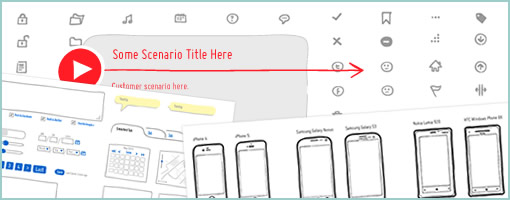
The Sketching & Wireframing Kit is a free set of elements for sketching and wireframing. It consist of form elements, icons, indicators, feedback messages, tooltips, navigation elements, image placeholders, embedded videos, sliders and common ad banners.

The Kit comes in two vector formats, one for Adobe Illustrator and the other in SVG vector format that can be easily modified. It can also be downloaded in PDF and EPS formats. The kit is completely free, which means that you are allowed to use it for personal and commercial projects. You are not allowed redistribute it.

Credits: Janko Jovanovi