Posts Tagged ‘sitemap’

Omnigraffle Sitemap Generator

Wednesday, August 18th, 2010


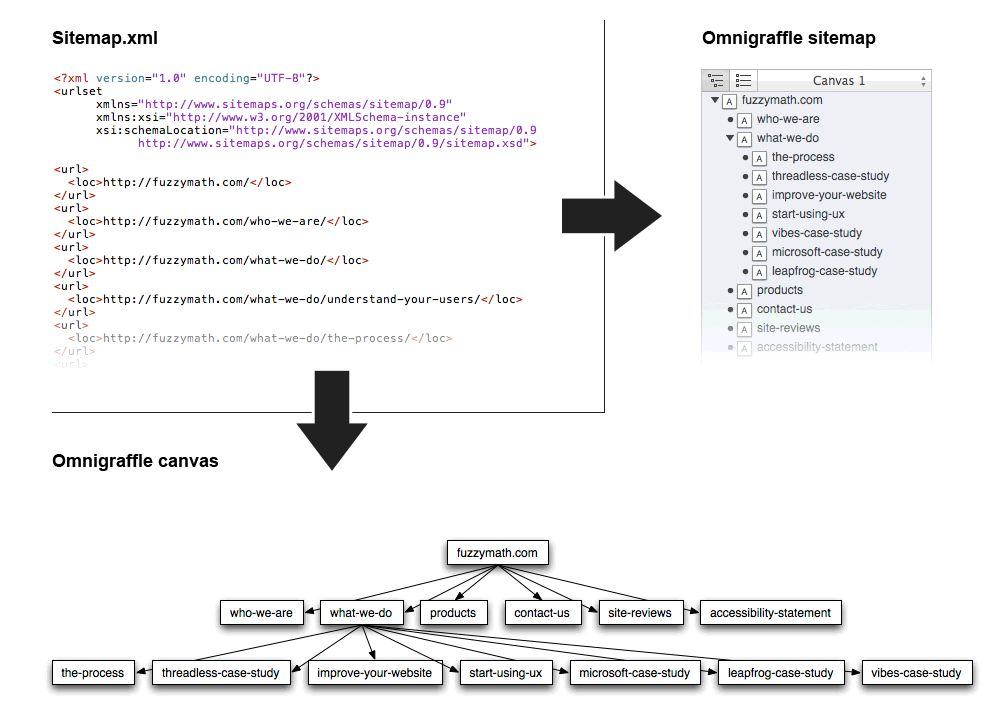
The Omnigraffle Sitemap Generator is a script that auto creates nicely looking sitemaps from a given XML file. It’s really just a simple byproduct from the guys over at Fuzzy Math. If this is your cup of tea, Jason, also wrote up a table generator script. Hope this saves someone some time.

Download the Sitemap Generator

Credits: Jason Kunesh

Wiremaps

Thursday, October 15th, 2009


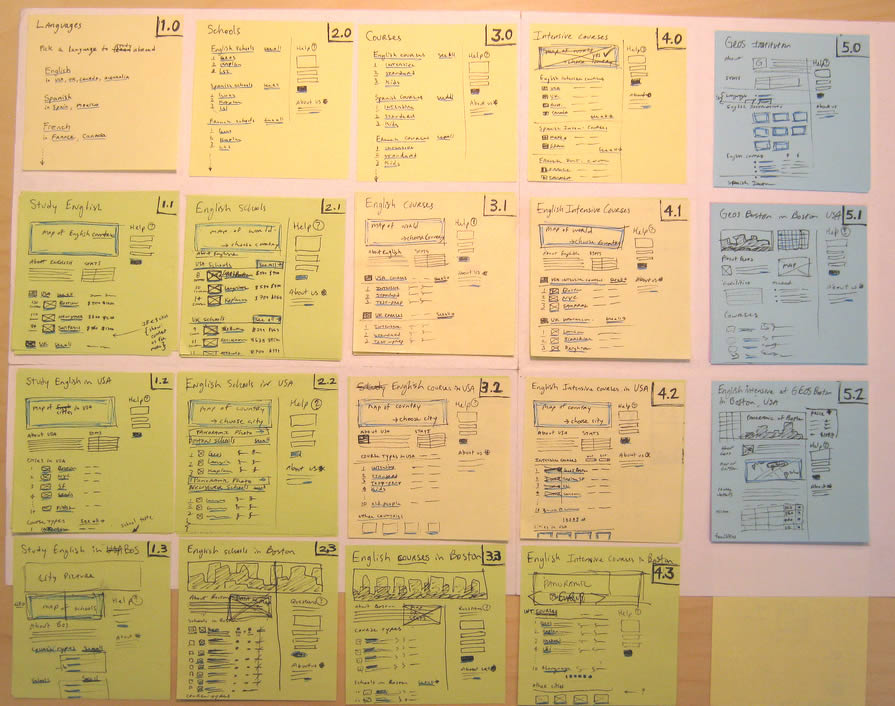
Combine wireframes and sitemaps together and you get something like this following sample from Jason. Wiremaps or siteframes? :) In the man’s own words:

First, the colors aren’t so significant. I just ran out of yellow. :) Underneath each sticky is a few other stickies from previous revisions. As time went on, things changed and so did the stickies on this page.

This document started off as ideas scribbled on a whiteboard. We devised an info architecture that involved controlling the user path by allowing them to drill down (vertically on the sheet) and across ( horizontally) but not diagonally. It’s not super clear, but everyone who needs to know understands the user flow through these pages.

There are 12 new pages that need to be created, as well as revising another half dozen or so. These sticky-frames also act as a site map, or at the least, a site map of templates.

Credits: Jason Robb

Structure Juxtaposed Wireframe

Monday, April 13th, 2009


While designing the uxtestkitchen.com site, Dawn has come up with a navigation scheme which displays the site structure along with the current location at the very top of the interface. As we’d expect, these ideas have been naturally placed into the wireframe. What I find interesting however is the juxtaposition between the site structure and the wireframe at a more general level. I mean, this type of view could just as well be used even if the interface did not contain such a navigation. After all, seeing the site structure along side the wireframe in itself provides a richer picture. Similarly to showing needs alongside wireframes, perhaps seeing structure or user flows more closely could enrich the context.

A second thing I find interesting here, is the use of colour to suggest the current location of the user. Here, yellow has been used to hint at the currently selected item. This brings back thoughts about colouring clickables in wireframes. Just as actionable elements in a wireframe could have a reserved colour, perhaps a second standardized colour could be reserved to suggest selected items.

Credits: Dawn Bovasso

Content Sitemaps

Wednesday, March 11th, 2009


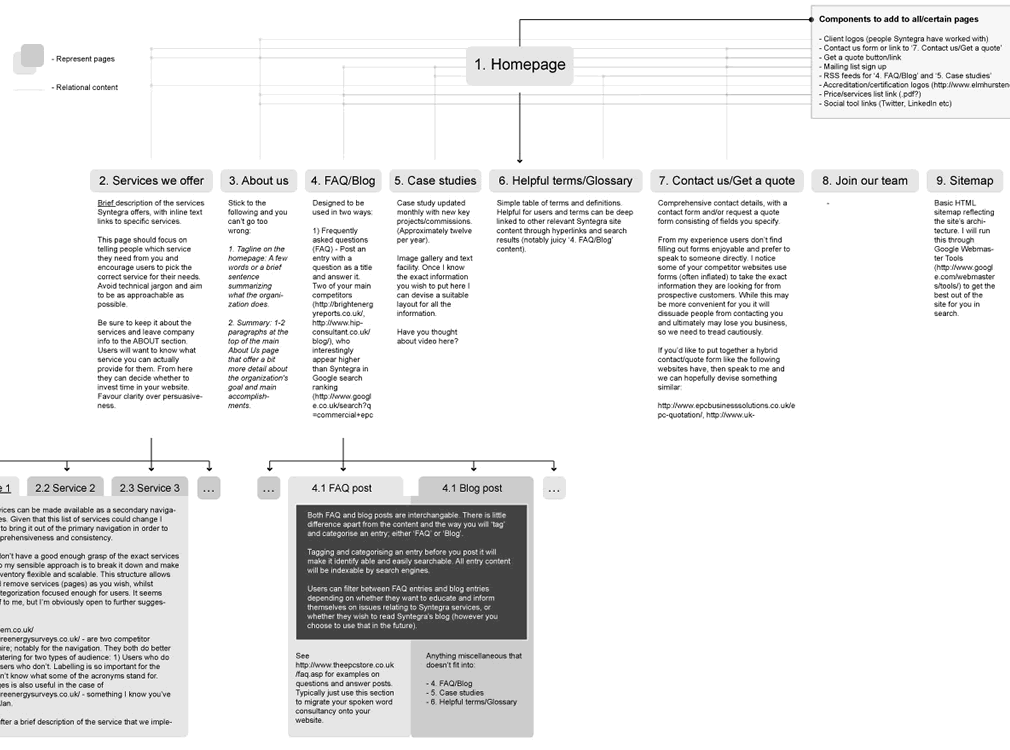
While still in a highly conceptual mode of thought during site mapping, already rough ideas begin to emerge as to how particular pages will look like or what they might contain. Often these ideas go beyond a simple one word page label. Here is an example which captures such ideas textually in more detail. This interesting view combines structural page representations with textual content descriptions – a merger of sorts between a site map and a content inventory.

Credits: Lewis Litanzios

Sticky Sitemaps

Friday, February 27th, 2009


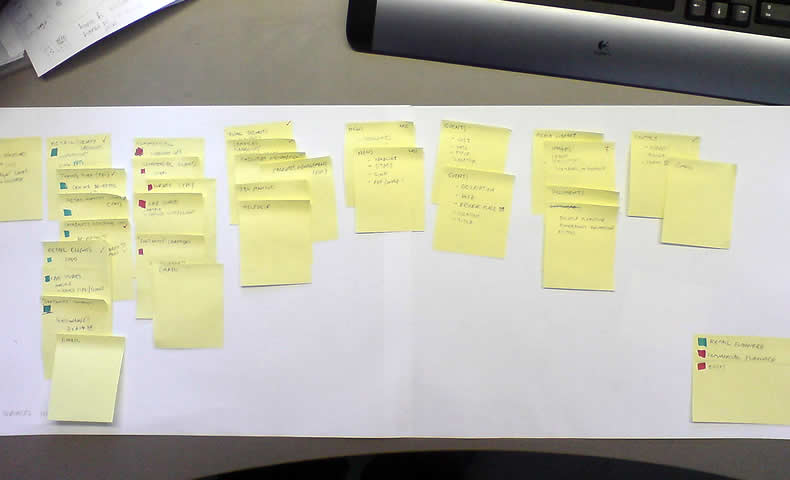
The need for flexible design documents such as sitemaps has already been noted in the past. In this example however, instead of using the computer, a very similar style of exploring and representing site structure has been accomplished with the use of sticky notes. Indentation has been applied to the stickies in order to suggest multiple levels of structure. Why not just do it on the computer then? Well, I think that such a rough approach invites more collaboration and input from others. Paper, sketching and stickies all invite change and feedback more so than computer based tools. Here is what Dave has to say:

It is an early stage in the development process, and the use of post-its allows quick iterative thinking, and opens collaboration across the project team. Taking photos at different stages meant that versions can be kept. This was the final version, before being drawn up in Illustrator for client sign-off.

Credits: Dave Needham

Sitemap References

Sunday, February 15th, 2009


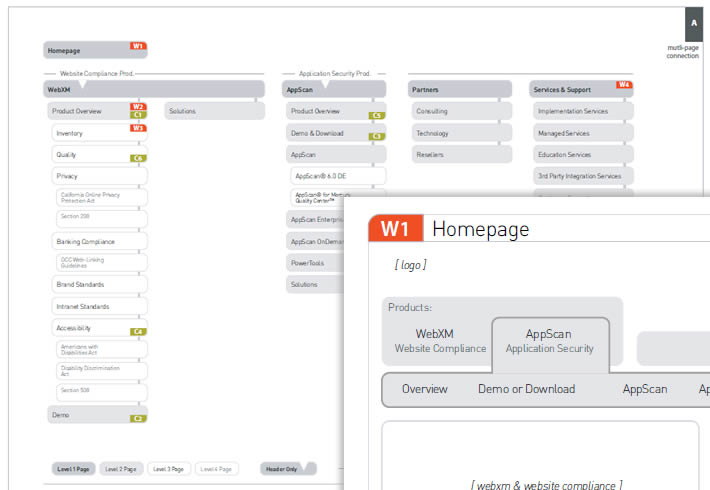
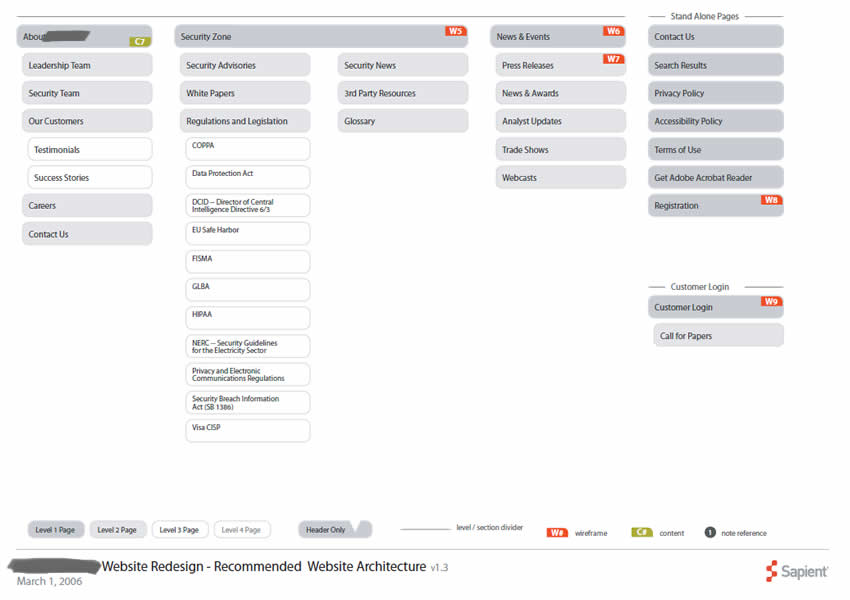
In a way, sitemaps can be thought of as a unifying table of contents of an information architecture project. They provide a way to zoom out and view the whole organization from a bird’s eye point of view. As interesting as things look from the clouds, one can fly around only for so long, and information architects often also allow to come back down to the wireframe or page level. This zooming back in is often done through some form of referencing. Here in this sample I began referencing at least three things: wireframes, content inventories, and additional sitemap pages. Wireframes are referenced with a red “W#” stamp, content inventories with a “C#” stamp, and additional pages with upper corner blocks. Some time ago in the past I also referenced user scenarios at this level. The list of references could possibly be expanded to accommodate other item as well.

Credits: Jakub Linowski

Page Level Wireflows

Tuesday, February 3rd, 2009


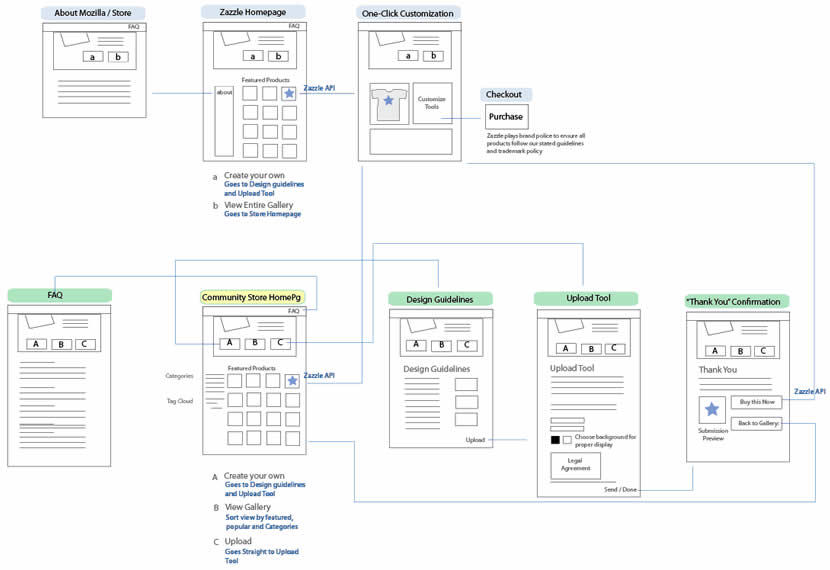
Tara has been designing the Mozilla Community Store and did a couple of wireflows at the page level. Having shrunk down the wireframes to thumbnails, this diagram provides a very nice overview of page-to-page link relationships that the user might take. nform Trading Cards however warn us that these documents could be very labour intensive if the design changes (which I also experienced). Now what if this view was automatically generated with our favourite design tools?

Credits: Tara Shahian

Flexible Sitemaps

Tuesday, January 6th, 2009


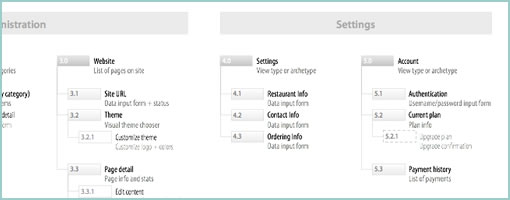
When thinking about high level web site structures, we often rearrange content or page items. I at least, place page holders here and there, look at new content, and then revisit the structure as new knowledge or insights are generated. This is especially so during the early phases of site mapping. In order to imbue these documents with more agility and flexibility, sometime in the past I developed the habit of avoiding arrows and line connectors. I felt that the lines slowed me down as they added an extra step to the work flow. Each time I would reorder a page item, I would then also have to rearrange the lines as well. Instead I began using indentation, tone and alignment to suggest hierarchy. Perhaps this tactic is not perfect, as changing the background colour of an item also requires additional time. Nevertheless, it’s still one step closer in the direction of making documentation more flexible to change.

Credits: Jakub Linowski