Posts Tagged ‘wireframe’

Multivariate Wireframes

Friday, January 9th, 2009


Ben explains it best:

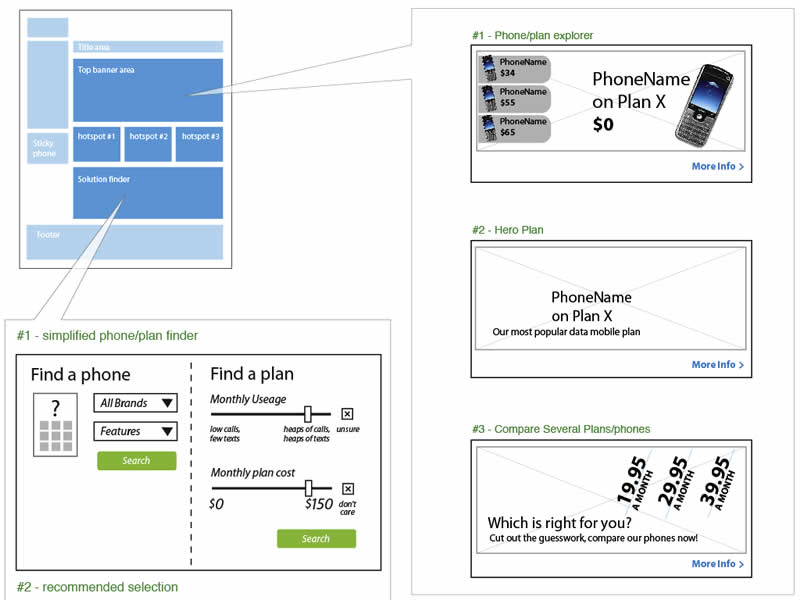
We do a fair but of multivariate testing work, where users get served different combinations of elements to see what works best.

The problem with wireframing this is that you can end up with a lot of repetition. Sure, you get a very impressive, thick wireframe doc – as you’ll have hundreds of wireframes each with small or large variations between them. But they tend not to get read :)

We use a small representation of page on the top left to help explain the type of page we’re describing. Then each element lives inside a call out, which then contains relevant information. This also makes updates much faster, as any element change can be applied to one page rather than 3 or 4.

Credits: Ben Still

In Page Events

Monday, January 5th, 2009


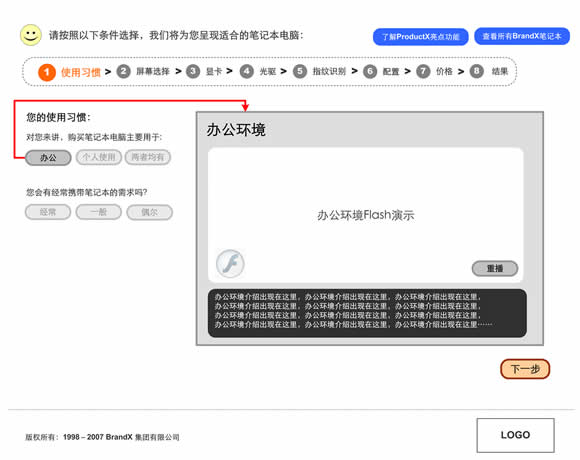
Events such as mouse clicks, mouse overs, key presses, and focuses according to John Resig are the “glue which holds all user interaction”. Traditionally IA’s have documented these interactions with numbered annotations referenced on the side margin. However finding and reading such text based annotations can be a relatively slower process compared to the immediacy of contextualized visual symbols. Here I found a nice example on documenting an event within the page, which challenges the numbered annotation technique. Simply put, it’s just a red arrow within the page suggesting a cause and effect. Perhaps it’s not completely clear whether it is a mouse click or mouse over, but still it makes me wonder what if a new visual language emerged for more diverse in page interactions.
Credits: Vivi Zhang

Onion Skinning Animations

Sunday, January 4th, 2009


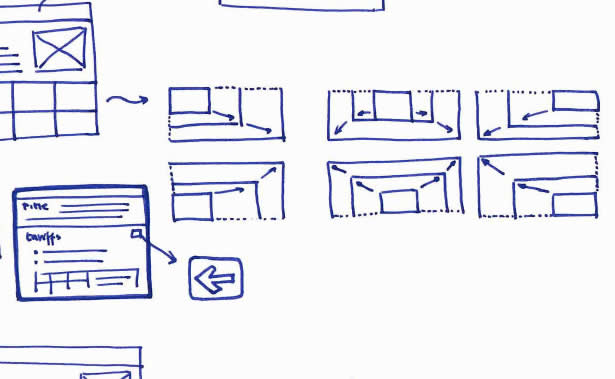
When an interface element changes position or size over time during an animation, the path it takes can vary. Onion skinning can help indicate the various paths of an animation.

Credits: Michel Vuijlsteke

Showing Masked & Scrollable Areas

Sunday, January 4th, 2009


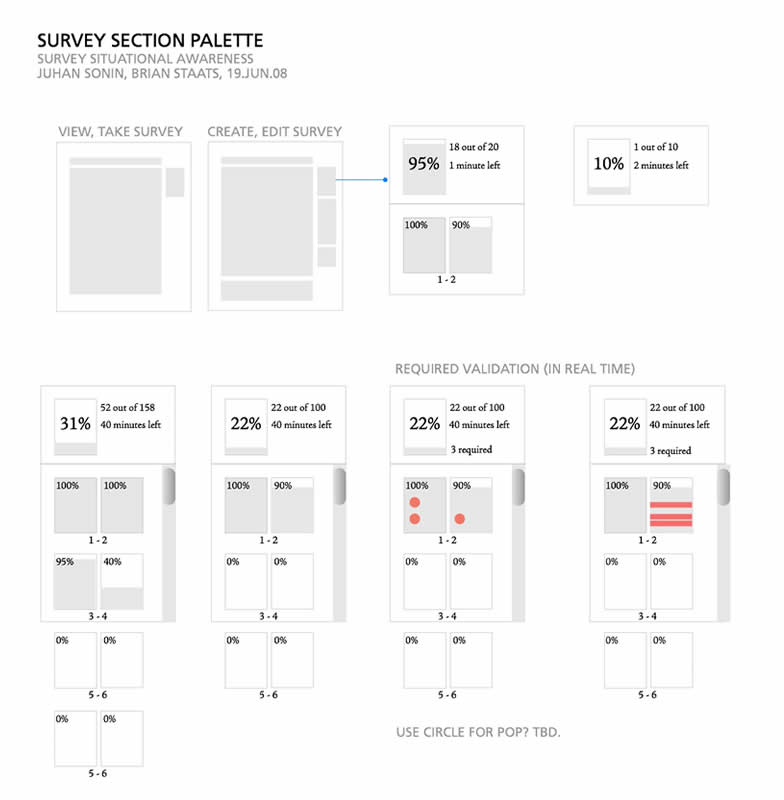
Often we need to represent interfaces which scroll and/or are masked. These interface elements only display a limited area at one time from within a larger one. Here is one idea on how to tackle this. In this example, the masked area has been isolated from the page view, with a boundary drawn around it. Elements which are outside of the boundary represent the invisible or masked elements at that particular time.
Credits: Juhan Sonin

Multiple Elements & State Conditions Matrix

Sunday, January 4th, 2009


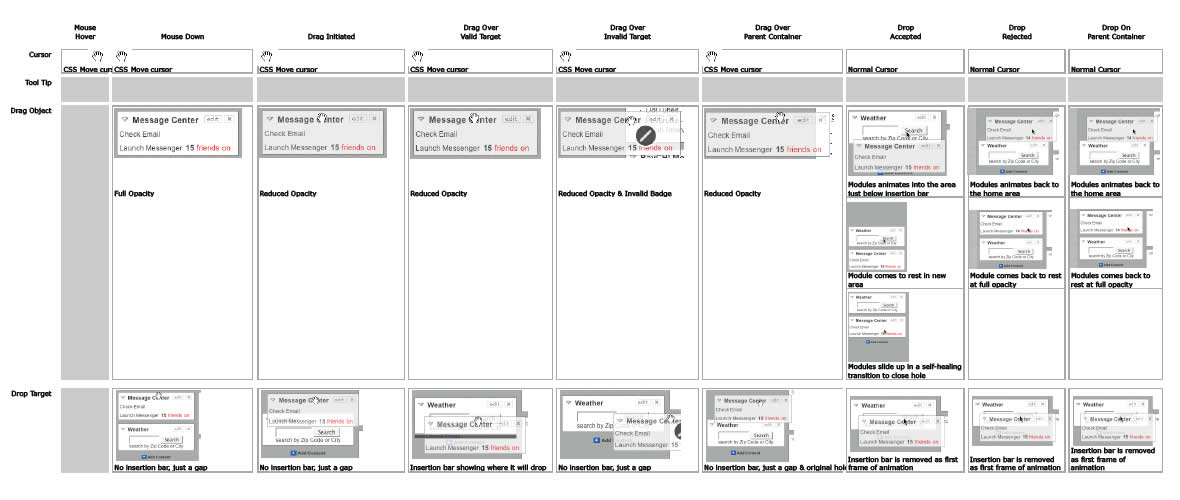
Sometimes multiple elements change at once as a result of one user interaction. This is especially so during draggable interactions. Here is an interesting way of solving that visually by means of a matrix. On the left y axis all of the elements are listed, whereas on the top x axis the various state conditions are displayed.
Credits: Bill Scott