April 15th, 2011

I’ve been thinking about ways to communicate how a user interface scales over time as the amount of information it needs to support varies. For example, sometimes the UI has to support multiple cases ranging from no results, to just a few results, to thousands of results. A good interface designer would probably think this through and come up with a UI that fulfills all of the relevant cases. For this, I began exploring a couple of visual language ideas to help myself and others who would like to tackle UI scaling. Here are some open and experimental thoughts:
A) Scale Marks. These are just floating reminder notes alongside a screen with a range of information that ought to be supported. Sometimes it’s easy to forget (or not know) how much data a UI really needs to support and these could be used as small self-targeted tests of sorts.
B) Scale Sets. This is a grouping of all the multiple UI states for those times when we actually want to draw out all of the relevant state ranges.
C) Spatial Scales. When there is more information, perhaps we might wish to communicate a maximum size of an element (max width / max height).
These are just a couple of thoughts which some day I might bring into the next release of the ISN. If you have other ideas, please share. :) Hope it’s useful.
Credits: Jakub Linowski
Tags: jakubs, sketching
Posted in Experimental | 5 Comments »
March 25th, 2011

Do you use Omnigraffle and annotate your work with little, round and numbered circles? Meredith just recently created a bunch of scripts which help with these dot annotations. The scripts automatically generate the numbers and thus make it easier to add and remove notes without having to readjust the numbering all the time on all remaining dots. Looks useful. Thanks!
In her own words:
The problem is that it’s not uncommon for me to have 20-30 dots on a single wireframe. What happens if I need a new “1″? Without a script, it means creating a new “1″ dot, then changing the old “1″ to “2″, the old “2″ to “3″, etc. I don’t have time for that!
Credits: Meredith Noble (Usability Matters)
Tags: annotation
Posted in Tools | 1 Comment »
March 18th, 2011

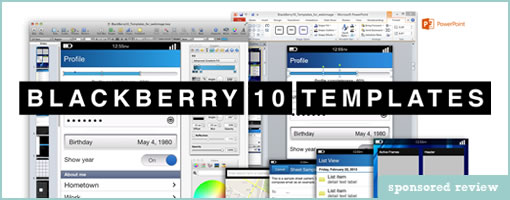
Here comes another mobile template for Fireworks for mocking up Blackberry screens. It has been released publicly sometime a month ago by UNITiD – a small company from the Netherlands. Enjoy if it’s useful.
In their own words:
For all interaction designers who will be designing apps for the BlackBerry platform, we’d like to share our Fireworks template. The template is made for BlackBerry devices with resolution 640×480 but as all UI elements are vector images they can easily be resized.
Credits: UNITiD
Posted in Templates | 1 Comment »
March 1st, 2011

A persona template has just been shared by the folks over at Orange Bus. Perhaps what might be interesting about this particular one is that it invites quick and dirty hand drawing or writing. A lot of the other personas out there, from what I’ve seen in the past, look pretty well polished. This one on the other hand is a lot more doodle compatible. It comes with fill in the blank spaces for basic naming, portrait, a back story, motivations, frustrations, their ideal experience, and a summary quote. Nice!
Credits: Joanne Richardson
Tags: persona, sketch
Posted in Samples, Templates | 6 Comments »
February 23rd, 2011

The guys over at nForm recently shared their home brewed sketching table composed of IKEA bits and pieces. It has the ability to store past sketches in a number of compartments right underneath, and an awesome kraft paper roller on top (possibly for saving large canvases of related sketches). More importantly, it looks like it’s inviting collaboration as Gene Smith suggests:
The total cost was about $500, and we’re seeing two benefits: it’s much easier for us to incorporate sketching into our daily workflow, and we’re having lots of quick feedback sessions since the table makes it easy for us to share and sketch ideas.
Thanks for sharing.
Credits: nForm
Tags: sketching
Posted in Tools | Comments Off
February 7th, 2011

Tiggr has recently surfaced as an additional tool to choose from for people interested in building interactive UI prototypes. It is currently in beta phase and is being developed by a team over at Exadel. It comes loaded with a set of typical features you would expect from an online prototyping tool. Among these there are: a snapping grid to place work on, multiple project/screen support, and the option to drag and drop existing controls. At a high level, controls here have been organized into two sets belonging to web based and mobile ones. The mobile components are based on the jQuery Mobile framework (pretty cool?). And yes, the tool also allows you to link up pages in order to inject a greater degree of interactivity in the preview mode.
Tiggr prototypes are also very easily shared with a team. Since the tool is hosted online, when previewing the prototype in a browser, the link can simply be sent off to others for review. With a comment and chat system in place, the tool invites users to provide feedback. Additionally, the prototype can also be exported as a standalone HTML bundle that can further be worked on locally and separately from the web based interface.
As far as I know today, these guys will always have a free version and there might be some paid plans in the future. I believe they are also planning to extend the components library and provide more ready to use elements.
Jump in and give it a try to see if it’s for you.
Posted in Tools | 1 Comment »
February 2nd, 2011

Adding this iPad Omnigraffle Stencil to the list for all those MAC users out there (thanks Ivana for finding it). The set looks pretty decent with a great deal of popovers, buttons, bars, icons, keyboards, alerts, and so on. As an added bonus the set also comes with a few blank and printable PDF sketchsheets – handy for all those times when you don’t feel like drawing out hundreds of screen outlines over and over again. Enjoy.
Credits: ZURB
Tags: sketching
Posted in Templates | Comments Off
January 27th, 2011

Here comes another awesome design related card set. This time it’s from Jasper who has recently been doing a PhD thesis over at TU Delft on the topic of Managing Product Usability. As a side effect of his time spent dug up in the subject, he has summarized some of his key ideas as recommendations in a card set format (PDF download link at the bottom of that post). The set is composed of 25 recommendations which are organized by themes pertaining to: Usability, Process, Team, Project, Company and Market. It’s an inspiring piece of work that might be of use to all those thinking of usability in the larger context of an organization or business. Thanks Jasper!
Here is how he explains it himself:
Based on learnings from the case studies as well as on existing literature on usability in practice, I wrote 25 recommendations for industry that describe how I would organize product development if the goal is to make usable electronic consumer products. The recommendations were ‘user tested’ by product development researchers and practitioners.
Credits: Jasper van Kuijk
Posted in Inspirations, Tools | Comments Off
January 10th, 2011

The gesture library from gestureworks has been recently expanded to contain a total of 200 illustrations. The library now contains multi-touch as well as stroke gestures in a variety of bitmap and scalable formats. It’s loaded with swipes, drags, flicks, holds, scrolls, taps, and even 3D gestures. For showing stroke direction, they’ve come up with an interesting way of starting off each stroke with a blue circle and ending with a red one. Pretty cool and inspirational ways of showing off user actions.
Credits: gestureworks
Tags: gestures
Posted in Samples, Templates | Comments Off
January 6th, 2011

The time has finally come to update the Interactive Sketching Notation for the new year. This time around it now comes with an Adobe Illustrator template that’s loaded with swatches, character styles, and symbols ready for use. The whole sketching system has also been elaborated to also include such things as: variation, notes, scenarios, and multiple user types. The notation can be applied for use with traditional pen and paper media but has advantages when using a computer and a tablet.
Please let me know how you use it or if you have recommendations. Enjoy.
Updated: to work with Illustrator CS4 and CS5
Credits: Jakub Linowski
Tags: sketching
Posted in Templates, Tools | Comments Off