Archive for the ‘Samples’ Category

Isolated & Referenced Elements

Monday, January 12th, 2009


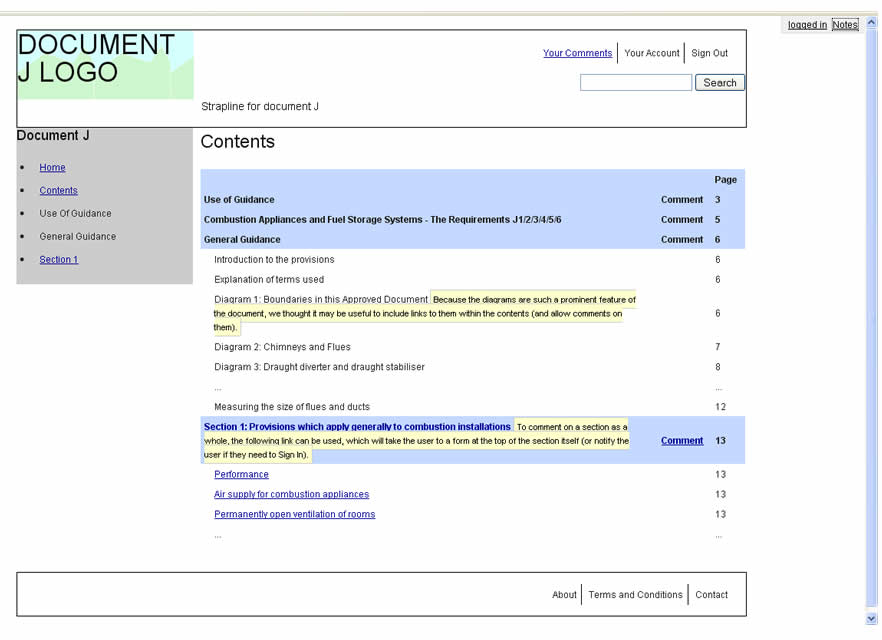
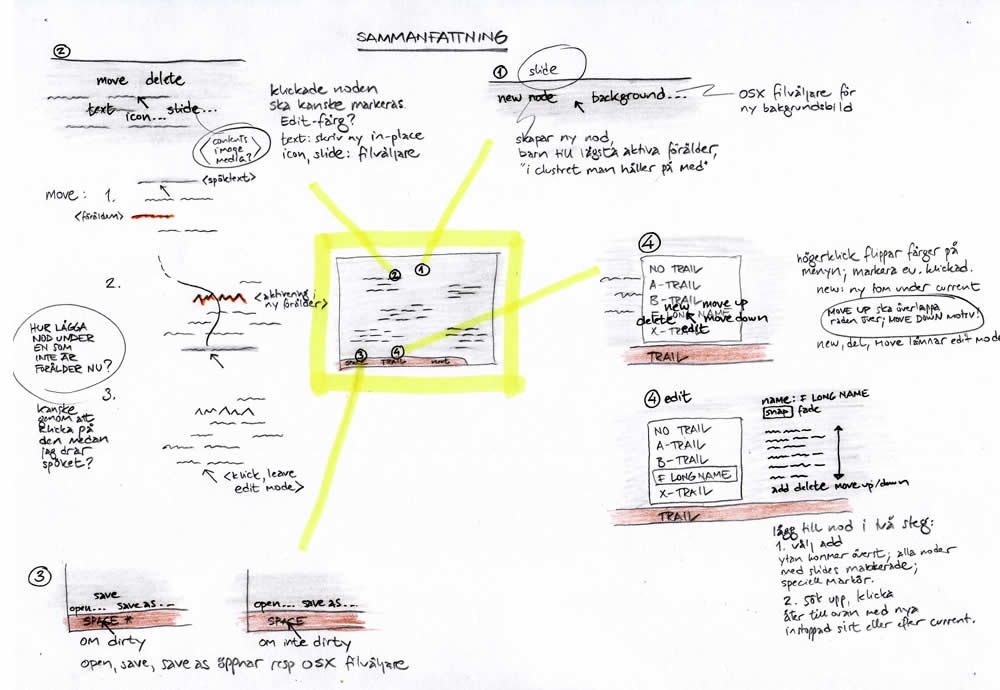
This is an interesting sketching technique provided to me by Jonas Löwgren, which separates individual interface elements from the page. Here, individual elements are taken out from the page view and then referenced back to a mini version of the page which contains a structural representation. More so, the page structure only lives in one area (the centre). Nearby each sketched element there is also some faded hinting of what is around the element. Taken together, this increases the speed in which the sketches can be generated, as there is less need to redraw full pages with all other elements.

Secondly, this technique also has the strength to emphasize particular elements as they speak back at us with a louder voice. The isolation of various items, freed from the page view makes them stand out more. There are also other submitted samples (here and here), which also made use of this technique in a wireframe context.

Credits: Jonas Löwgren

Pulldown Contents Sketch

Sunday, January 11th, 2009


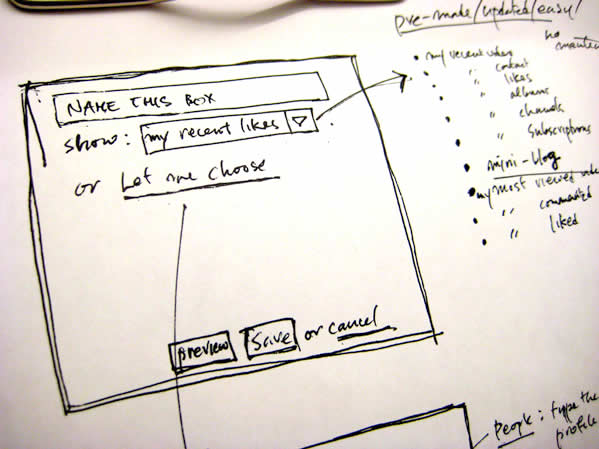
Need to scribble the contents of a pull down menu quickly? Sockyung uses a pretty straightforward sketching technique of a bulleted list on the side margin and an arrow reference.

Credits: Sockyung Hong

Multivariate Wireframes

Friday, January 9th, 2009


Ben explains it best:

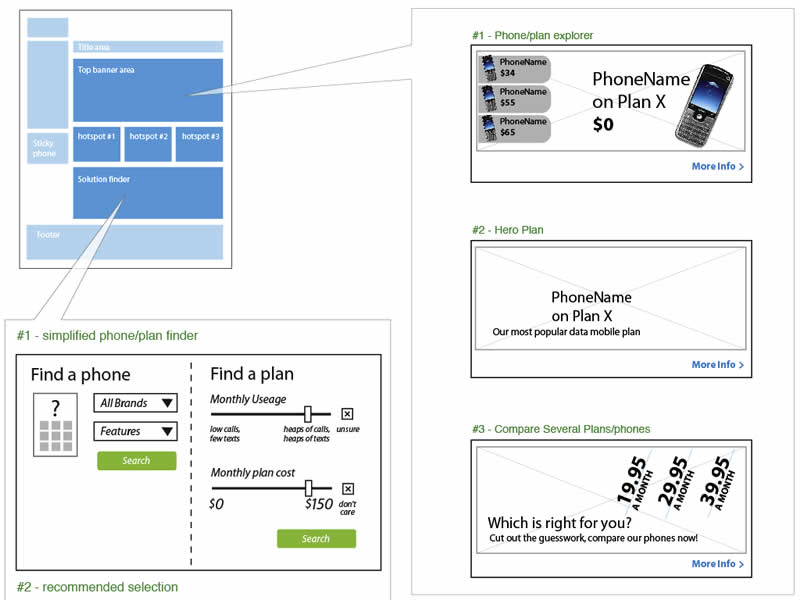
We do a fair but of multivariate testing work, where users get served different combinations of elements to see what works best.

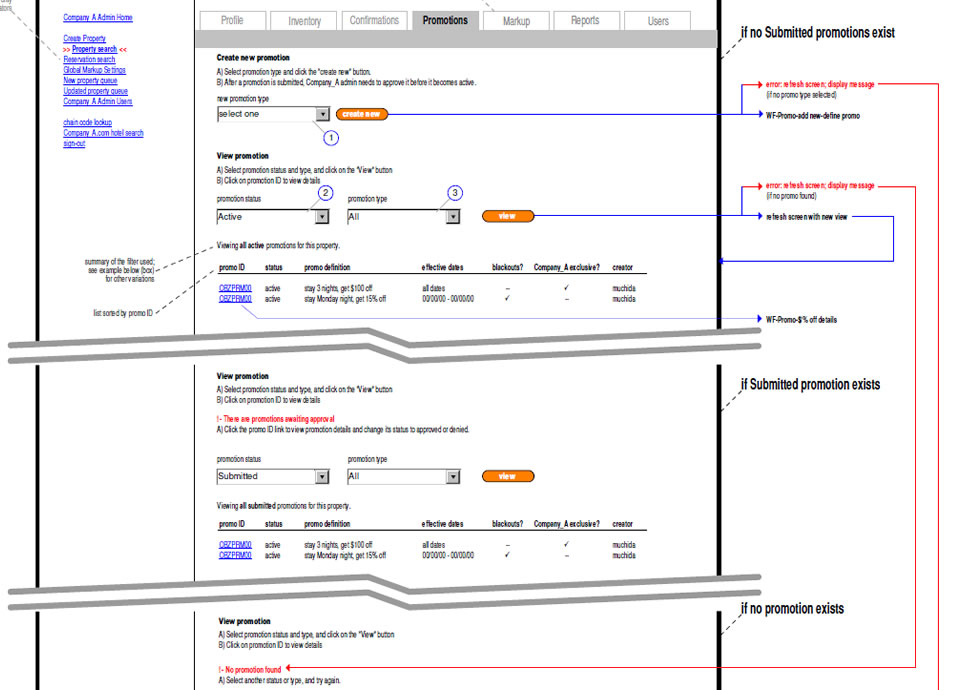
The problem with wireframing this is that you can end up with a lot of repetition. Sure, you get a very impressive, thick wireframe doc – as you’ll have hundreds of wireframes each with small or large variations between them. But they tend not to get read :)

We use a small representation of page on the top left to help explain the type of page we’re describing. Then each element lives inside a call out, which then contains relevant information. This also makes updates much faster, as any element change can be applied to one page rather than 3 or 4.

Credits: Ben Still

User Journeys

Wednesday, January 7th, 2009


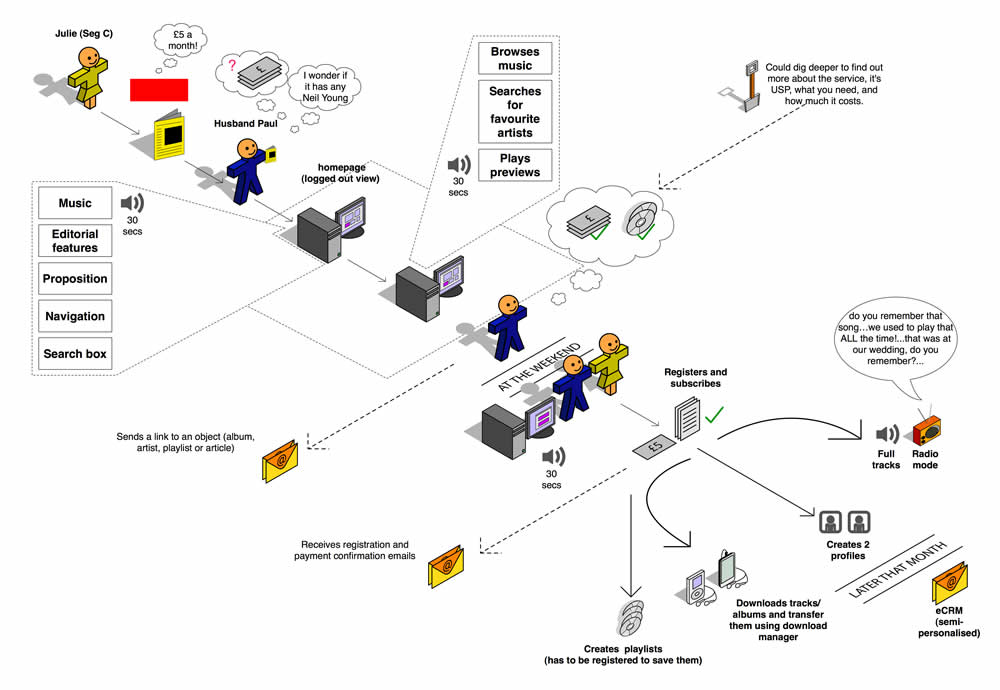
Steve sent me a User Journey sample today and I thought it was pretty interesting. Besides there being an article on Boxes and Arrows on this technique, perhaps I can add my 5 cents on what I am seeing here. Other than the iconographical style, two important ideas become apparent. First, the duration of the interactions in this visual are wider than usual. Typical user flows represent quite narrow time lengths, whereas the deliverable shows interactions spanning out over the weekend, and even a month afterwards. Secondly, the computer screen is represented as only one item in a bigger context of the physical world. The little people here interact with other physical objects such as magazines, MP3 players and PDAs. Taken together I find this sample as an interesting way to think and represent activity beyond the desktop screen within a richer reality.

Here is also what Steve writes:

I have been working on creating these 3D characters for some time now to bring to life some (often boring) User Journeys for our clients.

I have used them several times in pitches and key stakeholder meetings and they seem to be well received, while at the same working as a good platform to get our ideas across. Clients seem to get things more easily when they are illustrated or drawn out in front of them. I have also found people are more likely to contribute in meetings if they see ideas detailed in this way. If I have the library of assets with me, I can easily (using omnigraffle or equivalent) add their idea to the diagram in the meeting, increasing their sense of participation.

And just because you are illustrating your User Journey it doesn’t mean you are trying to dumb the information down. Before I create a diagram like this one I make sure I sketch out my ideas with a pencil and paper before hand to ensure all bases are covered.

Credits: Steve Johnson

Flexible Sitemaps

Tuesday, January 6th, 2009


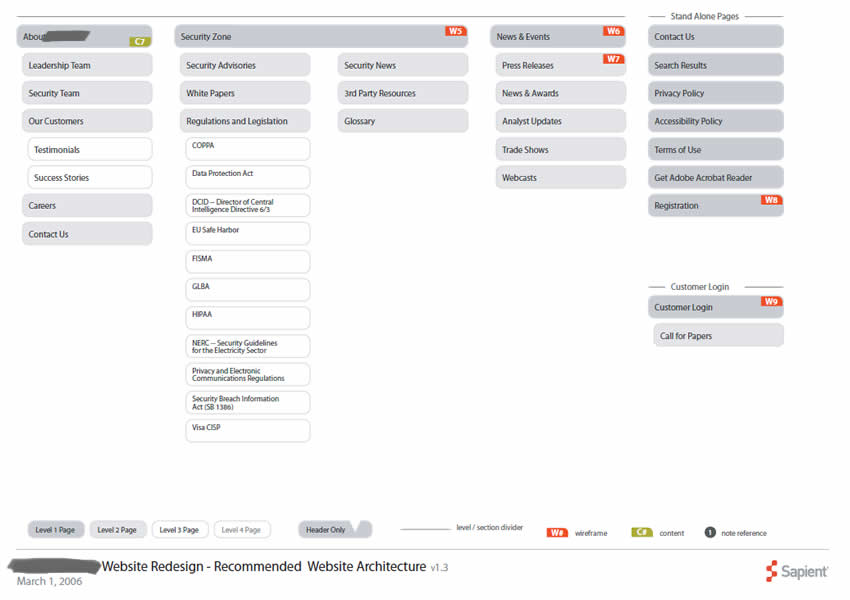
When thinking about high level web site structures, we often rearrange content or page items. I at least, place page holders here and there, look at new content, and then revisit the structure as new knowledge or insights are generated. This is especially so during the early phases of site mapping. In order to imbue these documents with more agility and flexibility, sometime in the past I developed the habit of avoiding arrows and line connectors. I felt that the lines slowed me down as they added an extra step to the work flow. Each time I would reorder a page item, I would then also have to rearrange the lines as well. Instead I began using indentation, tone and alignment to suggest hierarchy. Perhaps this tactic is not perfect, as changing the background colour of an item also requires additional time. Nevertheless, it’s still one step closer in the direction of making documentation more flexible to change.

Credits: Jakub Linowski

In Page Events

Monday, January 5th, 2009


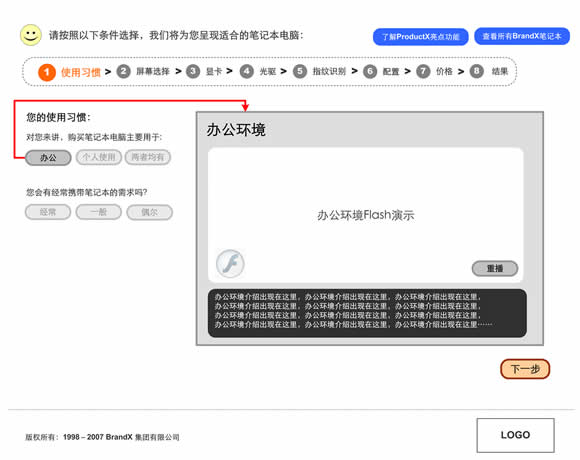
Events such as mouse clicks, mouse overs, key presses, and focuses according to John Resig are the “glue which holds all user interaction”. Traditionally IA’s have documented these interactions with numbered annotations referenced on the side margin. However finding and reading such text based annotations can be a relatively slower process compared to the immediacy of contextualized visual symbols. Here I found a nice example on documenting an event within the page, which challenges the numbered annotation technique. Simply put, it’s just a red arrow within the page suggesting a cause and effect. Perhaps it’s not completely clear whether it is a mouse click or mouse over, but still it makes me wonder what if a new visual language emerged for more diverse in page interactions.
Credits: Vivi Zhang

Onion Skinning Animations

Sunday, January 4th, 2009


When an interface element changes position or size over time during an animation, the path it takes can vary. Onion skinning can help indicate the various paths of an animation.

Credits: Michel Vuijlsteke

Showing Masked & Scrollable Areas

Sunday, January 4th, 2009


Often we need to represent interfaces which scroll and/or are masked. These interface elements only display a limited area at one time from within a larger one. Here is one idea on how to tackle this. In this example, the masked area has been isolated from the page view, with a boundary drawn around it. Elements which are outside of the boundary represent the invisible or masked elements at that particular time.
Credits: Juhan Sonin

Multiple Elements & State Conditions Matrix

Sunday, January 4th, 2009


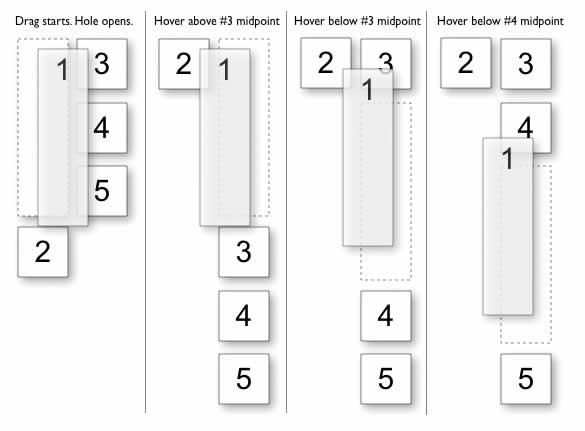
Sometimes multiple elements change at once as a result of one user interaction. This is especially so during draggable interactions. Here is an interesting way of solving that visually by means of a matrix. On the left y axis all of the elements are listed, whereas on the top x axis the various state conditions are displayed.
Credits: Bill Scott